
Mythic Tools MTG
Studio MythicTools
4.7826.00 Reviews
- Version
- 3.1.2
- Installs
- 100.00K
- Age Rating
- Everyone
Screenshots



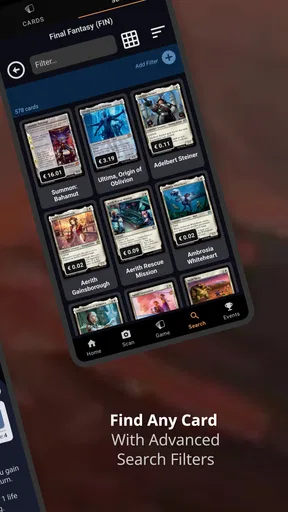



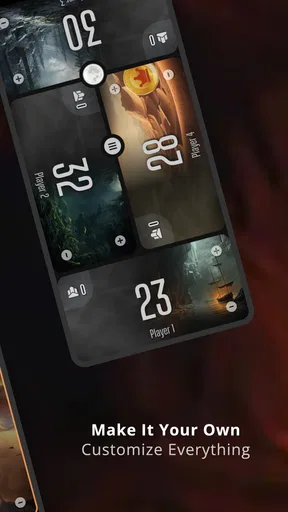
Our Review of Mythic Tools MTG
 Analysis by Appyee
I downloaded Mythic Tools MTG because I wanted one practical place for the cards I own, the decks I am planning, and the games I actually play. Studio Mythic positions it as a tools app for Magic: The Gathering, and that is the right way to approach it: this is not a game client or a replacement for playing with physical cards. It is a companion for turning a scattered card collection into something easier to search, organize, and use.
My first impression was that the app makes most sense when you already have a specific task in mind. You might be sorting cards after a trade, checking what belongs in a deck, or trying to remember how a previous game went. The combination of MTG card scanning, deck building, collection management, and game tracking gives it a broader job than a simple card database. In my experience, that breadth is its main attraction, but it also means the best results come from using a clear workflow rather than tapping through every feature without a plan.
From a pile of cards to a usable MTG workflow
I use the first section to focus on the moment a shared collection becomes useful: several people may handle the same cards, but each still needs a clear way to tell what belongs in a deck or box. A small habit—agreeing on labels before scanning—can prevent confusion later. That leads naturally to the more personal question of whose information and routines the app should hold.
Starting with the physical collection
The most convincing use case begins with a real-world problem: a box, binder, or deck case full of Magic cards that I no longer remember in detail. Manually entering every card into a collection tool is slow enough that many people simply stop halfway through. The scanner is designed to reduce that first barrier. I can point the phone at cards, identify them, and move the useful results into a collection instead of typing every name from scratch.
That does not make sorting completely effortless. Physical cards vary in condition, lighting, language, angle, and layout, so I would still check the result rather than treating every scan as final. A card that looks obvious to me can be less obvious to a camera when the room is dark or several cards are close together. My practical advice is to scan in small, orderly batches and keep the physical cards arranged in the same order as the results. That makes corrections much less frustrating later.
The important distinction is between recognition and organization. A scanner can help identify a card, but the collection only becomes useful when I decide how I want to use that information. I would separate cards by storage location, deck, or trade status as I go, rather than creating one enormous list and hoping to clean it up later. That small habit is one of the biggest time-savers in the whole workflow.
Checking the scan before trusting the list
I would not rush directly from scanning to deck construction. The handoff between those two stages is where small mistakes become annoying. If a card is assigned to the wrong entry, a duplicate is missed, or a card is placed in the wrong storage group, the later deck list may look complete while still being inaccurate.
My preferred routine is to scan a manageable group, review the names immediately, and then put the physical cards away only after the digital list looks right. This is especially helpful with cards that share similar names or editions. The app is most useful as a fast starting point, not as a reason to stop looking at the cards in front of me.
There is also a useful trade-off here. Entering cards manually takes longer, but it gives me more control from the first moment. Scanning is faster and better suited to a large sorting session, yet it asks me to spend some attention on verification. For a small, carefully catalogued collection, manual tools in a general spreadsheet may still be enough. For repeated sorting, deck changes, and game-related record keeping, having the scan connected to the rest of the app is more convenient.
Moving from collection to deck idea
Once the collection is reasonably clean, the deck builder becomes more valuable. I can use the cards I already have as the starting point for a deck instead of trying to remember what is in a box or searching through several unrelated notes. That connection between ownership and deck planning is more useful than a deck builder that only stores a list of card names.
I like approaching deck construction in stages. First I make a rough list around the idea I want to try. Then I compare that list with the cards recorded in my collection. Finally I return to the physical cards and pull out what is actually available. This three-way check prevents a common mistake: building an attractive digital list and only later discovering that key cards are in another deck, missing, or never owned.
The app is a good fit for players who enjoy experimenting but do not want every idea to become a full paper-sorting project. I can keep a draft concept separate from the deck I am currently carrying, which makes it easier to test alternatives without dismantling something that already works. The value is not just storing a finished deck; it is reducing the friction between “I have an idea” and “I can see what that idea requires.”
Using the collection as a decision tool
A less obvious benefit is that a well-maintained collection changes how I make deck decisions. Instead of asking which cards I remember owning, I can start with the cards that are actually recorded and then identify the gaps. That helps me decide whether a deck is ready for a casual evening, needs substitutions, or is better kept as a future project.
This is also where careful naming matters. I would use consistent labels for decks and storage groups, because vague organization creates confusion when several versions of an idea begin to accumulate. A simple distinction between active, experimental, and dismantled decks can save more time than endlessly refining the original list.
Preparing for a game night
The workflow becomes especially practical before a game night. I can check which deck I intend to bring, confirm that its cards are accounted for, and use the game-tracking side after the match rather than relying on memory. That creates a handoff from preparation to play: the collection tells me what I have, the deck builder tells me what I plan to use, and the tracker records what happened.
I would use the tracker for patterns rather than treating one result as a serious verdict. A single win or loss can be affected by opening hands, unfamiliarity, or the people at the table. Over time, however, notes about games can help me remember which deck was used and how an evening went. The feature is most helpful for players who regularly rotate several decks and otherwise lose track of their own history.
There is a social benefit too. After a session, I can update the record while the details are still fresh instead of trying to reconstruct the evening days later. That small handoff from table to phone is easy to overlook, but it is exactly the kind of moment when a companion app earns its place.
What the handoffs feel like in practice
The app’s strongest idea is that its parts can support one another. A scanned card can become part of a collection, the collection can inform a deck, and the deck can be connected to a game record. I do not have to maintain three completely separate systems. That continuity is the main reason I would choose it over a basic notes app or a general spreadsheet.
Still, the handoffs depend on disciplined input. If I scan cards but never correct mistakes, the collection becomes unreliable. If I create several deck drafts without clear names, the builder becomes cluttered. If I track games inconsistently, the history loses meaning. Mythic Tools MTG can connect these activities, but it cannot decide which physical cards are in my binder or whether I remembered to record a match.
This is a useful distinction for new users: the app reduces repetitive work, but it does not remove the need for a personal system. I get the best experience when I treat it as a working inventory and planning notebook, not as an automatic authority over my collection.
Everyday scenario: sorting after a trade
Imagine coming home from a local trading session with a stack of cards mixed with older cards from a deck box. I would first scan the new cards in small groups, review the recognized entries, and assign them to the collection. Next I would open the deck builder to see whether any of those cards fit an experimental list. Cards that do not fit can remain available for another idea rather than disappearing into an unmarked box.
Before the next game night, I would check the deck list against the physical deck, make any changes, and then record the session afterward. The outcome is not merely a digital pile of card names. It is a repeatable path from new cards to a possible deck and then to a record of how that deck performed for me.
This scenario also shows where the app saves the most effort: not in a single dramatic action, but in preventing the same card from being rechecked across several disconnected tools. The collection becomes the handoff point between sorting, planning, and playing.
Where the workflow breaks down
The first weak point is scanning conditions. If I am trying to process cards quickly under poor lighting or with a messy background, recognition can become the slow part rather than the shortcut. I would not recommend starting with an entire unsorted collection late at night and expecting a perfect result. A clean surface, steady phone position, and immediate review make the experience much more dependable.
The second weak point is maintenance. A collection app is only as current as the person using it. Cards get traded, moved into decks, lent to friends, or stored in a different box. If those changes are not reflected, the app may tell me what I once had rather than what I can find today. That is not a flaw unique to this app, but it matters because the deck workflow depends on accurate ownership information.
The third issue is scope. Players who only need a quick rules lookup, a simple note about a deck, or a one-time list may find this broader toolkit more effort than necessary. On the other hand, collectors who expect a highly specialized inventory system with every possible sorting convention should first decide whether the app’s connected workflow matches their habits. Its appeal is the combination of tasks, not unlimited customization for every possible cataloguing style.
Free access and the upgrade question
Mythic Tools MTG is free to download, with optional in-app purchases ranging from a small entry point to substantially higher individual items. I would begin with the free experience and judge it by my actual routine: how often I scan, whether I maintain several decks, and whether game tracking becomes something I use after every session.
I would avoid paying simply because a collection looks impressive on screen. The useful question is whether the app saves me repeated effort. Someone who scans cards once and rarely changes decks may not gain much from spending more. A regular player who keeps multiple lists, updates a collection, and wants one place for game records has a clearer reason to consider an optional purchase.
The age rating is Everyone, which makes the app approachable for a wide range of Magic players. The minimum operating system is Android 8.0, so anyone using an older phone should check compatibility before planning a large cataloguing session. The current release is version 3.1.2, and that is the version I would look for when comparing the experience on a supported device.
Who should use it, and who should skip it?
I would recommend it to a player whose cards are spread across decks, binders, and boxes; to someone who enjoys brewing several ideas at once; or to a group that wants a more reliable way to remember games. It is particularly suitable when the same cards move through a repeating cycle of collection, deck testing, and play. The connected workflow gives those activities a shared home.
I would be more cautious if you own only one stable deck, dislike maintaining inventories, or want a completely hands-off cataloguing experience. The app cannot compensate for an unwillingness to review scans and update changes. I would also choose a simpler note-taking method if my only goal were to remember a short deck list.
Compared with a spreadsheet, this app is more directly shaped around MTG card scanning, deck planning, and game tracking, so there is less setup before I can begin. A spreadsheet offers flexible columns and custom formulas, but I would have to design and maintain the connections myself. Compared with separate specialist tools, Mythic Tools MTG is appealing because it keeps the workflow together, although a dedicated alternative may be preferable if one narrow function matters more to me than the full journey.
The result after using the full process
After following the workflow from physical cards to collection, deck, and game record, I see the app less as a scanner and more as a bridge between the paper and digital sides of Magic. The scanner gets information in, the collection gives it structure, the deck builder turns it into a plan, and the tracker sends useful information back after playing.
That result depends on realistic expectations. I still need to inspect scans, keep labels sensible, and update cards when they move. The app does not eliminate the tactile work that makes collecting enjoyable, and it should not try to. Its job is to make the parts around that hobby easier to remember and repeat.
With an average rating of 4.7 from around thirteen thousand ratings and more than one hundred thousand installs, it has clearly found an audience among MTG players looking for this kind of companion. Those figures do not replace my own judgment, but they fit my experience: the concept is practical, especially once the collection is large enough that memory and loose notes stop being reliable.
My final recommendation is simple. Start with one real task, such as scanning a single box or rebuilding one active deck, and see whether the handoff into the next stage feels natural. If it does, Studio Mythic’s app can become a useful part of a regular Magic routine. If the first scan-and-check cycle already feels like unnecessary administration, a simpler alternative will probably suit you better. For me, its strongest outcome is not a perfect database; it is having a clearer path from the cards I own to the decks I want to play.
Verdict
Strengths of Mythic Tools MTG
- Quickly searches cards, sets, prices, and rulings in one place.
- Useful deck-building tools help organize cards and mana curves.
- Offline access may keep saved card data available without a connection.
- Supports multiple formats and makes checking legality more convenient.
- A practical companion for Commander players and regular deck testing.
Limitations of Mythic Tools MTG
- Some advanced features may require a premium purchase or subscription.
- Price data can vary by region and may not match every marketplace.
- Large card databases can make searches feel slower on older devices.
- New card sets and rulings may not appear immediately after release.
- The interface may feel dense for beginners unfamiliar with MTG terminology.
Similar Picks in This Category
View All
Google LLC4.0

Gboard - the Google Keyboard
Google LLC4.5

Google Play services
Google LLC4.3

Google Play Store
Google LLC4.9

Files by Google
Google LLC4.5

SHAREit: Transfer, Share Files
Smart Media4U Technology Pte.Ltd.4.3
Frequently Asked Questions
What is Mythic Tools MTG used for?
Mythic Tools MTG is designed to help Magic: The Gathering players organize and manage information related to their cards, decks, and gameplay. Depending on the version and available features, it may be useful for browsing card details, checking rules or prices, building collections, and preparing decks. It is best viewed as a companion utility rather than an official replacement for the complete Magic: The Gathering Arena or Wizards of the Coast services.
Does Mythic Tools MTG require an internet connection?
Some functions may work offline after information has been downloaded or cached, but an internet connection is generally recommended for the best experience. Online access can be necessary for updating card databases, synchronizing collection information, retrieving current prices, or loading newly released sets. Users should also expect that offline data may become outdated, especially after new expansions, rules changes, or marketplace price updates.
Is Mythic Tools MTG suitable for beginners?
The app can be useful for beginners because it gathers helpful Magic: The Gathering information in one place, making it easier to explore cards and understand deck-related details. However, new players may still need to learn the basic rules through an official tutorial or a dedicated learning resource. Experienced players are likely to benefit more from advanced searching, collection management, and deck-planning tools.
Does Mythic Tools MTG provide accurate card prices and rules information?
Card prices and rules information should be treated as helpful references rather than guaranteed, official rulings. Prices can change quickly depending on the marketplace, card condition, language, edition, and regional currency. Similarly, rules details may require confirmation through official Magic: The Gathering sources, particularly for tournament play. Before making a purchase or resolving an important interaction, verify the information with a current official source.
Is Mythic Tools MTG free to download, and are there in-app purchases?
The availability of free features, advertising, subscriptions, or in-app purchases can vary depending on the platform and the specific release of Mythic Tools MTG. Before installing, users should check the Google Play Store or Apple App Store listing for the current pricing details, permissions, and purchase information. Also review whether optional premium tools are required for advanced collection, deck, database, or synchronization features.
